Showing posts with label Software. Show all posts

Monday, June 4, 2012

Finale SongWriter

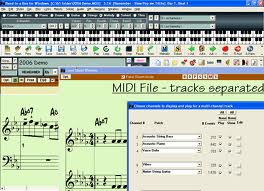
Finale SongWriter (Mac/Win) is my favorite tool to capture music I write. It is a piece of music notation software that makes composing music easier. (To use this software, it's important that you know at least a little music theory.)

In short: it helps you write down / record music and lyrics you write and then print it all.

Longer description: When I write lyrics, Masterwriter is my "go to" software. When I write music, Finale SongWriter is my "go to" software. Why? These are just some of the things you can use it for:

• You can connect your computer to a MIDI keyboard/digital piano then launch the software. Once you come up with some music you like, play it and Finale will automatically create beautiful sheet music for it.

• You can also add lyrics, even multiple lines of lyrics to the sheet music. In the end, it looks as if it was a sheet music book released by Hal Leonard Corporation (the famous sheet music publishing company) :)

• When you're happy with what your music sounds like, you can export it as MP3, MIDI or a MusicXML file. It means that you can even go on to use it in GarageBand, Logic or some other multi track recording software.

• While you're working on a piece of music, you just have to click on the notes to hear them. It's also possible to drag them to different places in the staff and hear what the change sounds like. There are 128 synthesizer sounds built-in so you can even change the instrument if you want.

• There is also a "Human Playback™" option, which means that you can listen to your music and it will sound like it's being performed live.

• You can change the tempo any time.

• You can transpose your music any time.

• You can add chords with the corresponding guitar fretboard.

• You can add custom drum grooves to the music.

• This software can automatically harmonize your music (similarly to Band in a Box).

System requirements:

Windows
✓ XP/Vista/Windows 7 (64-bit compatible)
✓ a CD-ROM drive
✓ minimum 256 MB RAM
✓ about 240 MB hard drive space

Macintosh
✓ OS X 10.4-10.7 (Mac-Intel or Power PC)
✓ a CD-ROM drive
✓ minimum 256 MB RAM recommended
✓ about 230 MB hard drive space

Other components you might want to have
✓ a MIDI interface
✓ a MIDI input and/or playback device (e.g. a MIDI keyboard or a digital piano)
✓ a Printer

These are the parts of Finale SongWriter that I often use. You can do much more with it. And this software is quite inexpensive, usually between $45-$50 on Amazon. So if you are a little familiar with music theory (and if you're a serious songwriter, you should be), Finale Songwriter will make it really easy for you to capture music you compose!

More Recommendations to Songwriters
More Songwriting Software 

Saturday, June 2, 2012

Songwriting Software

OMG! There is so much variety of songwriting software! That's what you're probably thinking when you're trying to choose a piece of software that best suits your needs. All of them have strengths and weaknesses and advantages and disadvantages… I could go on all day.

You'll have to make two decisions first:

1. What are you going the use the software for? (writing, recording, editing, etc.)
2. How 'strong' and what type is your hardware? (Mac? PC?)

You'll probably use your songwriting software for one or more of these:

a) Recording & editing audio
b) Making music using loops
c) Writing lyrics
d) Writing music
e) Other

(It's worth checking out all sections below. Some of the software listed here is very complex therefore difficult to categorize.)

Luckily, there is such variety of songwriting software out there that you'll probably need only one or two pieces of software to cover all your needs.

Let's see your options:

a) Recording & editing:

Audacity (Mac/PC) - Free digital audio editor and recording application.
Pro-Tools (Mac/PC) - Digital audio workstation by Avid Technology. It's widely used by professionals for recording, editing and music production.
Logic (Mac) - Digital audio workstation and MIDI sequencer by Apple. It's also widely used by professionals.
Cubase (Mac/PC) - Digital audio workstation used for music recording, arranging and editing by Steinberg.
Sonar (PC) - Digital audio workstation by Cakewalk. You can use it to record, mix, edit, master and output audio.
Digital Performer (Mac) - Full-featured digital audio workstation and sequencer software package by MOTU.


b) Making music using loops:

GarageBand (Mac) - Software by Apple. It allows you to record audio, use virtual software instruments, edit MIDI, create music and podcasts. Plus it contains music lessons. It's part of the iLife software package.
Acid Pro (PC) - Professional digital audio workstation by Sony Creative Software. It uses Acid Loops painted out across the screen to create music tracks.
Fruity Loops aka FL Studio (PC) - Digital audio workstation by Image-Line Software. It has MIDI support, you can edit, mix, record or master audio.
Ableton Live (Mac/PC) - Loop-based music sequencer and digital audio workstation. It's designed to be an instrument for live performances and a tool for composing, arranging, and mixing.
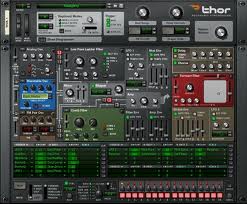
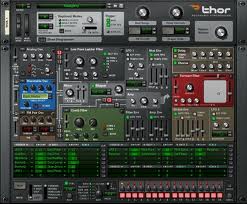
Reason (Mac/PC) - This software by Propellerhead emulates a rack of hardware synthesizers, sampler, signal professors, sequencers and mixers.
Audition (PC) - Digital audio workstation by Adobe Systems featuring a multitrack mixing/editing environment and a destructive-approach waveform edition view.


What's a loop? Wikipedia defines it as "a sample which is repeated". They are short sections of music that if you repeat, can make up a whole song or sections of a song. Loops are very popular even in commercial music. You can download some of them for free or you can buy them from loop libraries. Some pieces of multi track recording software are very good at handling loops but they weren't made exclusively for that purpose.

c) Writing lyrics:

Masterwriter (Mac/PC) - Creative software for songwriters and lyricists used by many of the most successful songwriters. It is the most comprehensive one I've seen. The software includes Word Families, Parts of Speech, Phrases, Rhymes, Pop-Culture, Dictionary and a Thesaurus.

If you want to write lyrics, all you need is a pen and a piece of paper. However, you can take your lyric-writing to the next level, if you use songwriting software created especially for this purpose.

d) Writing music:

Band In A Box (Mac/PC) - MIDI music arranger software, which creates a background for almost any chord progression.
Sibelius (Mac/PC) - Scorewriter software used by composers, arrangers and performers mainly for writing classical, jazz, band, vocal, film and television music.
Finale (Mac/PC) - It's considered to be one of the industry standards for notation software. It was created by MakeMusic.

Some people prefer to make their creative process as hassle-free as possible, others like to write and record at the same time. Some people can read music, some can't. No matter which type you are, you'll find some great music writing software that suit your needs.


e) Other:

SongFrame (Mac/PC) - It's a songwriting software program which you can use to start writing your songs, come up with and record ideas then refine your work. It helps you create the foundation of your song.


There are some pieces of music writing software that do a little bit of everything. However, usually these are not the most advanced ones. If you are or would like to be a professional songwriter, it's best to use software which is very specialized therefore it does exactly what it's supposed to do and the way it should do it. But if you're just starting out, or you prefer to begin the songwriting process with simpler songwriting software at hand, you might like this one.
If you really don't have the budget to spend on software currently, click here to check out some Free Songwriting Software.

Thursday, May 31, 2012

MasterWriter Review

MasterWriter review by a fellow songwriter:


I'm a huge fan of Masterwriter. It's made for songwriters to help them write awesome lyrics. This software was created by Barry DeVorzon who is a famous songwriter himself. So he knows what songwriters need. There are some famous songwriters who use MasterWriter: Linda Perry, Gwen Stefani, Babyface and many more.


I used to have bookmarks of an online rhyme dictionary, a dictionary, a thesaurus and some other sites to help me find words that suit my lyrics perfectly. It was tedious to have to visit all these sites and have them open in tabs for a long time. Sometimes I closed all of them accidentally, it was annoying to say the least.


But I don't do that anymore. In MasterWriter all of these tools are present plus many more like a phrase dictionary, word families, parts of speech, pop culture, etc. There are a lot of options too. You can filter words by syllable number, part of speech, intensity… Plus you don't even have to be online to look for words (not that it was a problem these days but it's definitely a plus).


Sometimes when I have idea what to write about, I just find a phrase in the phrase dictionary and go from there. All in all, if I had to choose one tool that has improved my songwriting the most, I would definitely say Masterwriter.


Oh, and before I forget, it works both on Mac and PC. I have a Mac though. Just 'cause they are better :)


Edit: I've written a page about MasterWriter and how you can use it when writing lyrics: MasterWriter for Songwriters

- Eszter

Monday, May 28, 2012

Masterwriter

I've found that Masterwriter is THE most helpful software for songwriters and especially lyricists. It's a comprehensive tool that helps you spend more time with the creative part of lyric writing, instead of desperately looking for words, phrases and rhymes in dictionaries or thesauruses.

Several famous songwriters use this tool, including Gwen Stefani, David Foster, Babyface, Linda Perry and LeAnn Rimes.

My Opinion About Masterwriter

I purchased the software about a year ago. Although it's not cheap, I'm glad I did. It has helped me tremendously to come up with lyric ideas that wouldn't have occurred to me otherwise. Sometimes I managed to take my songs in a totally different and more creative direction just by coming across a special word in Masterwriter. I can't imagine what songwriters who don't use Masterwriter do when they get stuck or need new ideas. They probably collect all the tools that's in this program from different places on the internet, but it's tedious work if not impossible.

Tools in the Software

Songs: a great way to keep a database of your songs. You can include audio too. There is also a creation-date registration service called Songuard. It comes handy if you need to prove that you own the copyright to your song. (For more information on copyright protection, visit the Copyright page.)

Rhymes: a rhyming dictionary with over 100,000 entries and 36,000 rhymed phrases, including close rhymes, wider rhymes, x-wide rhymes and perfect rhymes. You can also choose how many syllables you want the word to contain.

Phrases: there are more than 33,000 phrases, sayings and idioms in the database. This is my favorite part of Masterwriter! There is also a box of related words in this tool.

Dictionary: this part is obvious. It contains The Merriam-Webster Collegiate Dictionary.

Thesaurus: this is, again, obvious. The Merriam-Webster Collegiate Thesaurus is included in the software.

Word Families: it's also a kind of dictionary but it's special because it helps you come up with some descriptive words and phrases for your lyrics. You can set how many syllables you want the word or phrase to contain, what part of speech it should be, what ending it should have (base word, -s, -ed, -ing). You can also filter the results according to intensity, etc. My second favorite Masterwriter tool!

Parts of Speech: this is a list of descriptive words that you can filter according to several criteria: part of speech, ending (base word, -s, -ed, -ing), intensity, positive-negative words and alliterations.

Pop Culture: it's a Pop-Culture Dictionary that contains more than 11,000 entries from the American World of Culture. You can choose from several sub-collections, like: The World (Countries, Landmarks, Islands, Peoples of the World, Space, Myths, etc.), The Famous (Leaders, Infamous, Artists, Fictional Characters, Sports, etc.), Food & Drink (Beers, Soft Drinks, Bars, Travel, etc.), Products (Cars, Toys, Books, TV, etc.) and The Bible (Full Bible or Old Testament, New Testament)

Notes: in this section you can put down and save lyric ideas or whatever you want. You can even format the text.


System Requirements

Masterwriter works both on Mac and Windows computers. I have a Mac so I don't know how well it runs on Windows. But the Mac version is clearly not a native Mac application. That's the only negative thing I can say about this software. It runs on my Mac but I can always feel it's a little "difficult" for my computer. The creators should somehow make the software more light-weight. Or it's just my Mac which is not the latest model but it still works perfectly most of the time.

Mac:
PowerPC G4 1.42 GHz or better or Intel Core 2 Duo 2.0 Ghz or better
OS X 10.4 or better
512 MB or more RAM, 1 GB recommended
Built-in or External Microphone
QuickTime 7.5.5 or better

Windows:
2.4 GHz or better Processor of Intel Pentium/Celeron Family or AMD Athlon / Duron Family
Windows XP, Vista and Windows 7
512 MB or more RAM, 1 GB recommended
Built-in or External Microphone
QuickTime 7.5.5 or better

I'm a huge fan of Masterwriter and I definitely didn't regret my purchase. If you're serious about songwriting, and you write lyrics, I highly recommend it, click here to get it on Amazon!


More Recommendations to Songwriters

More Songwriting Software Programs 

Saturday, May 26, 2012

Multi Track Recording Software

What's multi track recording software? The types of programs that let you record separate sound sources to separate "tracks". And when you listen to these tracks simultaneously, you can hear your complete song with all the instruments. Then you can save your work and start pitching your song.
So which multi track recording software should you choose? Below you'll find some information that will hopefully help you make this decision.

Audacity

Audacity is a free digital audio editor and recording application.
Features:
✓ Platforms: Mac, PC, Linux, BSD
✓ Price: FREE
✓ Plug-in support: JACK, VST, LADSPA, LV2
✓ File format support: WAV, MP3, AAC, OGG, AIFF, AMR, FLAC, WMA
✓ Available in more than 20 languages.
✓ You can cut, copy and paste audio.
✓ It supports multitrack mixing. You can zoom, edit single tracks.
✓ Audacity features lots of digital effects and plug-ins.
Although Audacity is amazingly powerful multi track recording software program and the best of all: it's FREE, it does have some limitations. One of them is that it lacks dynamic equalizer controls and real time effects. Also, MIDI files can only be displayed.

Pro Tools

Pro Tools is a digital audio workstation by Avid Technology. It is widely used by professionals for recording, editing, music production, film scoring, film and television post-production.
Features:
✓ Platforms: Mac, PC
✓ Price: about $300-$850
✓ Other versions: Pro Tools M-Powered Essential & SE are stripped-down versions targeted at beginners.
✓ Plug-in support: Rewire, RTAS, VST (partial - via Wrapper)
✓ File format support: OMF, AAF, MIDI, WAV, MP3, REX2, AIFF, SDII (Mac OS X only)
✓ In the Edit window you can view a graphic representation of the audio tracks.
✓ In the Mix window you can set and adjust the pan and volume.
✓ In the MIDI edit window you can work with your MIDI data and view them as score or piano-roll.
✓ You can also add several new features if you use some plug-ins available for Pro Tools.
Pro Tools (as the name and the price show) is a multi track recording software program for serious professionals. If you're a beginner, you should rather start out with something simpler, like GarageBand.

Logic

Apple's Logic is a DAW (digital audio workstation) and also an amazing MIDI sequencer.
Features:
✓ Platform: Mac
✓ Price: about $450-$500 (Logic Studio - a bundle of professional music applications including Logic Pro)
✓ Plug-in support: Rewire, VST (partial - via converter), AU
✓ File format support: OMF (partial), AAF, MIDI, WAV, MP3, AAC, ALAC
✓ Logic will give you all the recording equipment you need in a professional studio, including audio effects, software instruments and synthesizers.
✓ One of Logic's supported files is Apple Loops. You can use these great-sounding loops totally royalty-free.
✓ There are some awesome audio effects included, like delays, equalization filters, dynamics processors and different kinds of distortion.
✓ You can use it with a MIDI keyboard or other control devices.
✓ Other great Logic features include guitar tab support, drum notation, chord abbreviations and musical notation with real-time scoring.
Logic's audio engine is the same as GarageBand's. It's basically a VERY advanced version of GarageBand. Or GarageBand is the stripped-down version of Logic. I don't know. The point is that this multi track recording software program is amazing and a lot of (maybe most of) the professional studios and songwriters use it.

Cubase

Cubase is a digital audio workstation by Steinberg, with the help of which you can record, arrange and edit music.
Features:
✓ Platforms: Mac, PC
✓ Price: about $75-$500
✓ Plug-in support: Rewire, VST
✓ File format support: OMF, MIDI, WAV, MP3, REX2
✓ Cubase creates projects which allow you to edit MIDI files, raw audio tracks and other related information like lyrics.
✓ The software can present them in different formats, e.g. musical scores, editing console, event lists, etc.
Cubase is a serious multi track recording software program, not as well-known as Logic or Pro-Tools though. If you want to be compatible with most other musicians' software, it's not necessarily the best choice.

Sonar

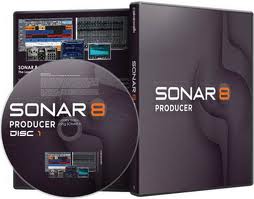
Sonar is a digital audio workstation by Cakewalk. You can use it for recording, editing, mixing, mastering and outputting audio.
Features:
✓ Platform: PC
✓ Price: about $80-$600
✓ Other versions: Sonar Home Studio, Sonar Studio Edition, Sonar Essential Edition, Sonar LE
✓ Plug-in support: Rewire, VST, DXI
✓ File format support: OMF, MIDI, WAV, MP3, AAC, REX2, W64, CAF, SDII, FLAC, AU
✓ With Sonar you can record and manipulate an unlimited amount of multitrack digital audio
✓ Record and edit MIDI data
✓ Apply special effects, like reverb and delay
✓ You can automate the process of mixing audio
✓ You can also utilize virtual instruments, such as software synthesizers, software samplers and software drum machines
✓ Sonar provides limited facilities for video and supports avi, mpeg, wmv and mov files.
Sonar is usually the choice of songwriters on a windows platform. It a multi track recording software program that is just as capable as any other serious digital audio workstation application.

Digital Performer

Digital Performer is a full-featured digital audio workstation and MIDI sequencer by Mark of the Unicorn (MOTU). You can use it for recording, editing, mixing, mastering and outputting audio.
Features:
✓ Platform: Mac
✓ Price: about $400-$500
✓ Plug-in support: Rewire, VST (partial - via converter), RTAS, AU, MAS
✓ File format support: OMF, AAF, MIDI, WAV, MP3, REX2, AIFF (import/export), SDII (native)
✓ Wonderful pitch correction ability
✓ Masterworks EQ plug-in
✓ You can choose from a set of virtual instruments
Digital Performer is one of the more popular multi track recording software programs for Macintosh (besides Pro Tools and Logic). It's most notable users include Hans Zimmer, Dream Theater and Pete Townshend.

GarageBand

GarageBand allows you to create music or podcasts. It's part of the iLife software package.
Features:
✓ Platform: Mac
✓ Price: about $35-$50 (in the iLife package) or about $15 in the Mac App Store
✓ Plug-in support: Rewire, VST (partial - via converter), AU
✓ File format support: MIDI, MP3, AAC
✓ GarageBand Jam Packs: about $100 each (Rhythm Section, Remix Tools, Voices, Symphony Orchestra, World Music)
✓ With GarageBand you can record audio, use virtual software instruments, edit MIDI and learn to play the piano or guitar with the help its music lessons.
✓ It can record and play back multiple tracks of audio.
✓ Effects
✓ Import MIDI files and play or edit them in piano roll or notation-style.
✓ You can download pre-recorded music lessons from GarageBand's Lesson Store for guitar and piano (free Basic Lessons and paid Artist Lessons by Sting, Norah Jones, Colbie Caillat, Ryan Tedder, John Legend and more).
✓ It has a standard multi-track drag-and-drop interface with different recorded sections or loops.
✓ Several software instruments are included in GarageBand (and you can purchase more - Jam Packs).
GarageBand is usually the first step for beginners. You can easily learn how to use a multi track recording software program with Garageband. It's very easy to use but it has some limitations. When you get more serious, you'll want to invest in Logic or some other DAW. But you can still create a perfect demo with this software.

ACID Pro

ACID Pro is a professional digital audio workstation software program by Sony Creative Software. It uses Acid Loops painted out across the screen to create music tracks.
Features:
✓ Platform: PC
✓ Price: about $35-$300
✓ Plug-in support: Rewire, VST, DXI
✓ Other versions: Sony ACID Xpress (free but there is a 10 track limit), Sony ACID Music Studio (simplified, low-cost version of ACID Pro)
✓ Acidized loops sample CDs are available from Sony, as well as third party companies.
✓ It also combines full multitrack recording, mixing and MIDI sequencing.
✓ Professional effects and soft synth support is also included.
ACID Pro is not a single multi track recording software product but features a family of products.

FL Studio

Fruity Loops aka FL Studio is a digital audio workstation by Image-Line Software.
Features:
✓ Platform: PC
✓ Price: about $120-$300 (you can purchase extra plug-ins, instruments, etc.)
✓ Plug-in support: Rewire, VST, DXI
✓ File format support: MIDI, WAV, MP3, AAC, OGG, REX2, XI
✓ FL Studio features MIDI support, editing, mixing, recording and mastering audio.
✓ Your work can be exported to wav, mp3 or the ogg vorbis format.
✓ Different sound processing effects, such as chorus, compression, delay, reverb, equalization, etc.
Something that's very nice about this multi track recording software program is that Image-Line provides users with lifetime free updates!

Ableton Live

Ableton Live is a loop-based software music sequencer and digital audio workstation by Ableton. It's an instrument for live performances as well as a tool for composing, arranging and mixing of tracks by DJs.
Features:
✓ Platforms: Mac, PC
✓ Price: about $330-$800
✓ Other version: Live LE (stripped-down version)
✓ Plug-in support: Rewire, VST, AU
✓ File format support: MIDI, WAV, MP3 (only read), AAC, OGG, REX2, FLAC, AIFF, SDII (Mac OS X only)
✓ Includes audio and MIDI effects, such as beatmatching, crossfading, chorus, eq, phaser, delay, reverb and many more.
✓ The interfaces was designed for use in live performance as well as for production.
✓ There are two built-in instruments: Impulse and Simpler. (You can purchase more instruments if you want.)
It's a great multi track software program for songwriters who also perform.

Reason

Reason is a software program by Propellerhead Software. It includes a collection of virtual instruments. It's basically a digital studio that you can use live or with another digital audio workstation.
Features:
✓ Platforms: Mac, PC
✓ Price: about $130-$400
✓ Reason is a collection of several mixers, sequencers, synthesizers, samplers and signal processors.
Reason is for the songwriters who are not interested in recording audio that much but rather use virtual instruments.


Audition

Audition is a DAW (digital audio workstation) by Adobe Systems.
Features:
✓ Platforms: Mac, PC
✓ Price: about $300-$350
✓ Plug-in support: Rewire, VST, DXI
✓ File format support: WAV, MP3, OFF, WMA
✓ Audition is a multitrack recorder that includes advanced mixing and editing functions.
✓ Audition supports virtual instruments.
✓ It also features a collection of royalty-free loops.
Audition is a popular multi track recording software program but not the most popular one. Whether you prefer it to other software is probably a question of personal taste.

I know that it's difficult to choose a perfect multi track recording software program. You'll probably have to make some compromises. But I hope this little overview helps you. As you can see, multi track recording software programs can in all shapes and sizes. And this list is not complete. I only included the best ones here.
Take your time and try one or two of these amazing multi track recording software programs before you make a purchase.

Thursday, May 24, 2012

Music Writing Software

Music writing software programs are great tools both for beginners and advanced songwriters. Some of these are for those who can read music. Others are suitable for people who know "only" chords. Whichever category you are in, using music writing software in creating your songs is not only helpful but it also makes the process faster and sometimes more flexible.

On this page you will find the programs I (and many others) found to work the best.

Band In A Box

Band In A Box is an award-winning MIDI music arranger software package. It can create a background for almost any chord progression. Then it plays the song back using one of the thousands of different background styles included in the software.

Features:
✓ Platforms: Mac, PC
✓ Price: from about $100 to $500
✓ Edit or create styles Band In A Box.
✓ You can vary the key and tempo of the songs.
✓ Songs can be saved as either a MIDI or audio file.
✓ Band In A Box is compatible with Finale.

The songs sound very predictable first. However, you can edit them in many ways and make songs that sound fresh and catchy.

Sibelius

Sibelius is a scorewriter program by Sibelius Software. It's mainly used by composers, arrangers, performers, teachers and students.

Features:
✓ Platforms: Mac, PC
✓ Price: $80-$630
✓ Other versions: Sibelius Educational, Sibelius Student
✓ Edit or print scores
✓ Scan and import printed scores for editing
✓ Publish scores on the internet
✓ Play music back using high-quality sounds

The Sibelius music writing software is not only used by professional composers but it's also a great educational tool. Hal Leonard Corporation uses Sibelius for their publications, and Berklee College of Music for education. The company claims their their product is the world's best-selling scorewriter. I like Sibelius but I don't know if this claim is true.

Finale

Finale is a scorewriter program by MakeMusic. It's one of the industry standards for notation software.

Features:
✓ Platforms: Mac, PC
✓ Price: about $40-$600 (there is discounted academic pricing available).
✓ Other versions: Finale Allegro, Finale PrintMusic, Finale Songwriter, Finale NotePad, Finale Reader (this one is FREE!)
✓ Notate anything from a textbook chorale to a cut-out score including new symbols invented by the composer.
✓ It's capable of working with guitar tablature.
✓ Finale includes a jazz font similarly to the one found in Real Book.
✓ All score elements can be adjusted by dragging or using dialog boxes.
✓ Music can be entered using a computer keyboard of a command line window.
✓ It optically recognizes printed music from a scan.
✓ You can import and export MIDI files and Finale plays back the music.
✓ You can export audio files as AIF, WAV, of MP3.

Finale is the other most famous and successful music writing software (besides Sibelius). It was used in films like Polar Express, The Aviator and many more.

SongFrame

SongFrame is "a song development toolkit designed to provide songwriters and recording musicians an integrated and comprehensive set of tools for writing and refining songs".

Features:
✓ Platforms: Mac, PC
✓ Price: about $100
✓ With SongFrame you can develop complete songs, including chords, melodies, lyrics, rhythms and song structures.
✓ It features an Audible Chord Library.
✓ You can choose from more than 500 drum patterns for each song section.
✓ Quickly record ideas using audio or MIDI.

To be honest, I haven't tried this one and I feel that it's too expensive if you consider it's limitations. You can't finish a song in this music writing software but only make a "sketch". But I'm sure there are people who are looking for this type of music writing software.

Tuesday, May 22, 2012

Free Songwriting Software

Some free songwriting software programs are available but not many. Paid programs are usually more advanced and updated more often, of course. But if you're just starting out, it's perfectly fine to use some free programs. The following are the best ones available.


Audacity (Mac, Windows, Linux) is a piece of open source software for recording and editing sounds. In my opinion, it's the best free songwriting software out there. It might come handy when you write a song and you need to record it to remember the words or melody later. Or you can even do some recording and editing if you need to submit a songwriting demo somewhere.

Features:
Record with your built-in or any other microphone. You can even make multi track recordings with Audacity.
Import and export sound files. Audacity supports wav, aiff, au, flac and ogg vorbis files. You can import the files, edit and/or combine them and export the result.
Edit sound files. You can copy, paste, cut and delete parts. If you do some multi track recording, you can also mix the tracks.
• Use special effects, like echo, change of tempo, removal of noises and many more.

VersePerfect


VersePerfect (Windows) is the next best free software. It helps you write lyrics. This software is very easy to use.
Features:
• It gives you phrases, nouns and rhymesfor the words you enter.
Famous quotes help you to get inspired.
Semantic chart to help you find connection between words and feelings.
• You can also easily access online dictionaries, thesauruses and Wikipedia from the program.

Song Sharpener

Song Sharpener (Windows) is a free songwriting tool. It helps you to write songs that are very similar to the ones on the Billboard charts.
Features:
Techniques
Word suggestions
Song starters (very helpful!)
Instrumental songs
Songwriting tips
Pro techniques


I hope you've found what you're looking for. If not, click here for
more Songwriting Software.